


Vita Mahjong
4.972.59K Reviews
App Specs
- Version
- 3.44.0
- Updated On
- License
- Free
- Downloads
- 100,000,000+
- Developer
- Vita Studio.
- Categories
- Board
- Platform
- Android, iOS
Screenshots

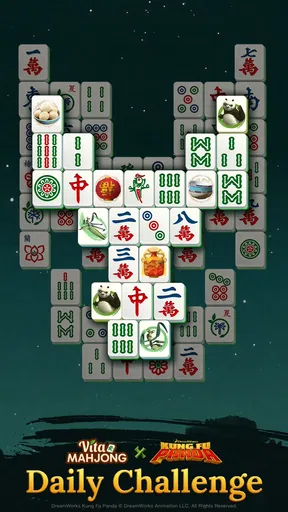
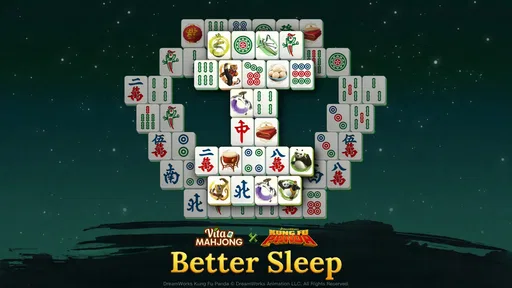
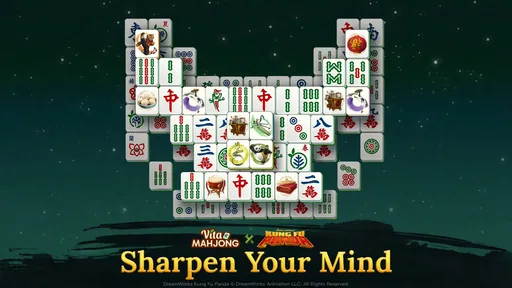
 Analysis by AppCompare
If you are new to tile-matching games, Vita Mahjong is an approachable place to begin: the basic goal is clear, and a board gives you an immediate reason to look closely before making a move. I find that appealing because it asks for attention without demanding the pace or reflexes of an action game. You can take a moment to scan the tiles, choose a pair, and settle into the puzzle at your own speed.
It is a free board game from Vita Studio, rated for Everyone, and it has built a large audience, with an average rating of 4.8 from around 4.2 million ratings and over 100 million installs. Those figures suggest broad appeal, but they do not tell you whether its particular style will suit you. The useful question is simpler: do you enjoy spotting matching tiles and planning a few moves ahead? If so, it is worth trying; if you want a story, direct competition, or constant action, this is not that kind of game.
What to expect from a tile-matching session
Mahjong solitaire is not the same as the traditional multiplayer Mahjong played with a group. Here, the central task is to remove matching exposed tiles from a layout until the board is cleared. That distinction matters if you are installing it because you want to learn the rules of the table game: this is a solo puzzle built around tile recognition and choices, not a lesson in multiplayer play.
The game’s appeal is the small decision loop. A pair that looks useful now may be less valuable than a pair that uncovers tiles beneath it, so I try to look for moves that open the board rather than simply taking the first match I notice. That habit makes a routine puzzle feel more deliberate. It also explains why the game can be calming without being mindless: the pace is gentle, but choices still matter.
In the store, the game is described as suitable for offline puzzle play. That makes it a sensible option to keep handy for a commute, a waiting room, or a break when a connection is unreliable. I would still treat a session as a puzzle rather than a guaranteed quick win: a board can take longer if you pause to inspect your options, and playing carefully is part of the enjoyment.
Getting Started with Vita Mahjong
So, you’re ready to jump into the world of Mahjong? Vita Mahjong makes it super easy. Right from the first launch, the app greets you with a sleek and intuitive interface. I was pleasantly surprised at how quickly I could navigate through the different game modes and options. Whether you’re a seasoned Mahjong pro or a complete newbie, the game offers a smooth onboarding experience that gets you playing in no time.
A reassuring first session
For a first-time player, I recommend beginning with an uncomplicated board and treating the opening minutes as practice rather than a test. Scan for pairs, then check whether removing one pair will uncover more choices. If a move leaves the remaining layout awkward, try another available pair first. This simple pause before tapping is a better early habit than trying to clear tiles as quickly as possible.
Worth Reading Before You Choose

Flipboard Shows What News Apps Must Do Beyond the Feed

Switching to Android Auto Means Rethinking Your Driving Routine

Google Calendar Makes a Crowded Week Easier to Manage

Ludo King Makes the Most of the Minutes Between Plans

Baby Panda World Brings Quick Play to Modern Phones, but Its Game Library Feels Busy

ESPN’s Live Game View Makes Following Close Games Easier
The first satisfying milestone is not necessarily finishing the whole board; it is noticing that a deliberate match has opened up another useful choice. That moment teaches you how the puzzle rewards looking ahead. If you get stuck, use the hint as a prompt to reassess the board, not as a button to press automatically. I find hints most useful when I have already searched carefully and want to get moving again.
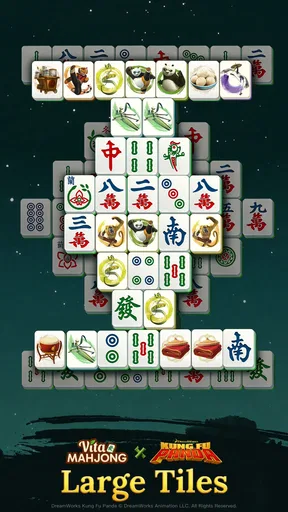
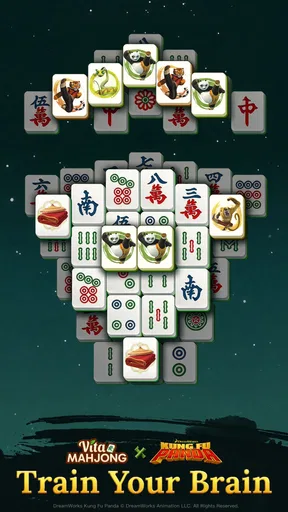
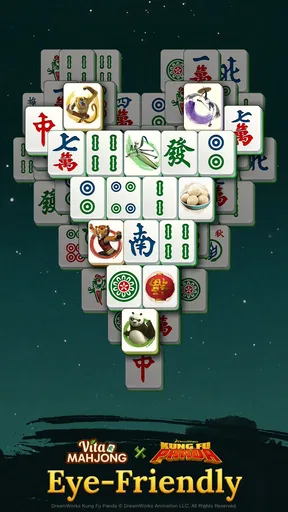
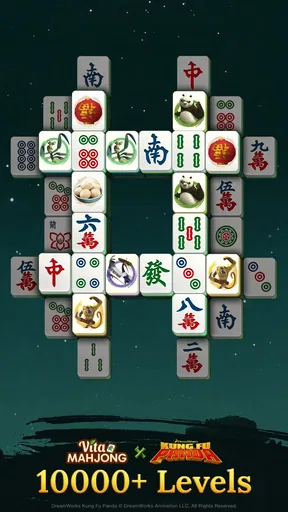
Once you're in the game, you’re presented with a variety of tile layouts, each more intriguing than the last. The graphics are crisp, and the tiles are detailed, making it easy to differentiate between them. A feature I particularly loved was the soothing background music—it really helps in keeping the atmosphere calm and focused. Trust me, after a long day, this is exactly what you need.
Gameplay and Features
Now, let's talk about gameplay. The core objective remains the same: match identical tiles to clear the board. However, what sets Vita Mahjong apart is its range of difficulty levels and challenges. Whether you're looking for a relaxing experience or something more taxing, there's a level for you. And if you're like me, who loves a bit of competition, the app offers a leaderboard feature. So, you can see how you stack up against other players.
For a useful everyday routine, I like the idea of choosing a short break when I can give the board my attention, rather than opening it while juggling messages or conversations. A quick glance between interruptions can make it easier to overlook a match or forget which tiles you were weighing up. If you have only a minute, it may be better to wait until you can focus; if you have a calmer pause, one puzzle offers a neat way to reset without committing to a long, story-driven game.
Compared with word puzzles, this is more visual and less dependent on vocabulary. Compared with fast arcade games, it asks for patience instead of quick reactions. And against other solitaire tile games, the familiar matching premise is the draw, while the range of layouts and challenge options gives you reasons to vary your sessions. The trade-off is that anyone who finds repeated pattern-spotting dull may feel the format becomes familiar quickly. I would choose a word game for language practice, a multiplayer Mahjong app for table play, or a more varied puzzle collection if I wanted several fundamentally different activities in one place.
Another standout feature is the daily challenges. These are a set of puzzles that refresh every day, ensuring there’s always something new to come back to. Plus, completing these challenges often rewards you with in-game bonuses. It’s a great way to keep things exciting and engaging. And for those moments when you just can’t find a match, there’s a handy hint button that gives you a nudge in the right direction.
Common points of confusion and practical trade-offs
A common early mistake is to treat every visible match as equally good. They all clear tiles, but some choices can reveal more of the board than others. I suggest scanning the layout before each move and prioritizing pairs that open up new options. If the puzzle becomes hard to read, slow down rather than tapping faster; the point is to make a considered choice, not to race the board.
Hints can help, but relying on them for every uncertain moment can reduce the satisfaction of working out a layout. I would save them for a genuine stall, then use the suggested move to inspect what it unlocks. Similarly, a leaderboard can add a competitive reason to return, but it is not the strongest reason to install the game if you mainly want quiet solo play. The puzzle itself should be enough to hold your interest.
It is also worth understanding the cost model before settling in. The game is free to download, with optional in-app purchases listed from $0.99 to $49.99 per item. You can try the core experience before deciding whether any purchase is worthwhile; I would not spend just because a prompt appears. For a casual player, the sensible approach is to play at your own pace and treat optional spending as a personal choice, not a requirement for enjoying tile matching.
The game is rated Everyone and works on Android devices running version 7.0 or later. Its current version is 3.4.0, and it was released on January 9, 2024. Vita Studio has attracted about 50,000 written reviews, which gives new players plenty of other user feedback to browse alongside the large rating count. I would still judge it by whether the layouts and pace suit you, rather than assuming popularity guarantees a perfect fit.
Who it suits, and when I would choose something else
I can see this working especially well for someone who wants a low-pressure puzzle to return to during quiet gaps in the day. Picture waiting for an appointment: you open a board, scan for a pair, and make a few thoughtful moves without needing to remember a plot or coordinate with other people. It can also suit players who like visual pattern recognition and enjoy gradually improving their judgement about which match to take first.
It is less suitable if you want a social game, a guided course in traditional Mahjong, or a fresh mechanic every few minutes. The same core matching action is the point, so the mood comes from the layout and the challenge rather than a radically different activity. If you prefer puzzles with explicit clues, narrative progression, or a faster tempo, another board or puzzle game may be a better match.
For accessibility in ordinary play, the clear tile artwork and unhurried pace help, but visual matching still depends on being able to distinguish the symbols on a board. I recommend trying a session on the device you plan to use and checking that the tile faces feel comfortable to read. A calm presentation is helpful, but it cannot make a visual puzzle enjoyable if the pieces are difficult for you to tell apart.
Why You’ll Love It
What makes Vita Mahjong a must-have on your device is its ability to cater to different moods. Feeling competitive? Head over to the leaderboard challenges. Need to unwind? Play a few rounds with calming music in the background. The app’s versatility is one of its greatest strengths.
The developers have clearly put a lot of thought into the user experience. From the seamless navigation to the frequent updates that introduce new levels and features, it’s evident that they’re committed to keeping users engaged. And let's not forget, it’s available on both Android and iOS, so you can take your Mahjong skills on the go, no matter your device.
So, if you’re in the market for a game that promises fun, relaxation, and a bit of brain exercise, give Vita Mahjong a try. It’s got all the makings of a classic, with a modern twist that keeps you coming back for more. Happy matching!
Choosing your next step
My practical recommendation is to install it when you want a calm, visual solo puzzle, then give the first board enough attention to learn how exposed pairs and newly opened choices shape your decisions. Try a regular layout before making the daily challenge your routine, and see whether you enjoy thinking one or two moves ahead. If that small planning loop feels satisfying, the game has a clear place in your downtime.
If you find yourself wishing for rules-based group play, more varied puzzle mechanics, or a stronger sense of progression than clearing layouts provides, listen to that reaction and choose a different kind of game. There is no need to force a match with its relaxed pace. For the right player, though, Vita Mahjong offers a straightforward way to turn a spare moment into a focused little puzzle without asking for a large learning curve.
Pros
- Beautifully designed tile sets.
- Intuitive and easy-to-use interface.
- Multiple game modes available.
- Relaxing background music.
- Offline play supported.
Cons
- Occasional in-app ads disrupt flow.
- Limited free themes available.
- No tutorial for beginners.
- Requires frequent updates.
- Some levels feel repetitive.
FAQs for Vita Mahjong
What platforms is Vita Mahjong available on?
Vita Mahjong is available on both Android and iOS platforms. You can download it from the Google Play Store for Android devices or the Apple App Store for iOS devices. Ensure your device meets the minimum system requirements for smooth gameplay.
Does Vita Mahjong require an internet connection to play?
Vita Mahjong can be played offline, which is perfect for users who want to enjoy the game without a constant internet connection. However, certain features, like leaderboards or updates, may require an internet connection to function properly.
Are there in-app purchases in Vita Mahjong?
Yes, Vita Mahjong offers in-app purchases. These can enhance your gameplay experience by providing additional themes, hints, or removing ads. While the game is free to play, these purchases are optional and not necessary to enjoy the core game.
How user-friendly is the interface of Vita Mahjong?
The interface of Vita Mahjong is designed to be intuitive and user-friendly, making it accessible for both new and experienced players. The game features clear graphics, easy navigation, and helpful tutorials to guide players through the basic mechanics and strategies of Mahjong.
Is there a multiplayer mode in Vita Mahjong?
Vita Mahjong currently focuses on single-player gameplay, offering a wide variety of puzzles and challenges to keep players engaged. While multiplayer isn't available, the game provides plenty of content and updates to maintain interest over time.


